<?xml version="1.0" encoding="UTF-8"?>
<product>
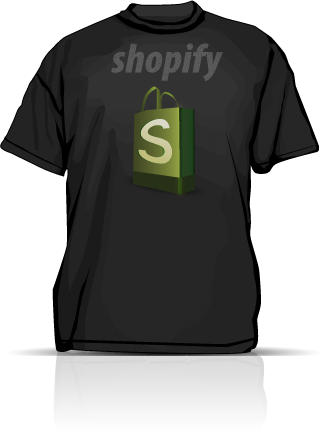
  <body>So this is a product.

The text you see here is a Product Description. Every product has a price, a weight, a picture and a description.  To edit the description of this product or to create a new product you can go to the &quot;Products Tab&quot;:/admin/products of the administration menu.

Once you have mastered the creation and editing of products you will want your products to show up on your Shopify site.  There is a two step process to do this.  

First you need to add your products to a Collection.  A Collection is an easy way to group products together. If you go to the &quot;Collections Tab&quot;:/admin/collections of the administration menu you can begin creating collections and adding products to them.

Second you'll need to create a link from your shop's navigation menu to your Collections. You can do this by going to the &quot;Navigations Tab&quot;:/admin/links of the administration menu and clicking on &quot;Add a link&quot;.

Good luck with your shop!
</body>
  <body-html>&lt;p&gt;So this is a product.&lt;/p&gt;


	&lt;p&gt;The text you see here is a Product Description. Every product has a price, a weight, a picture and a description.  To edit the description of this product or to create a new product you can go to the &lt;a href=&quot;/admin/products&quot;&gt;Products Tab&lt;/a&gt; of the administration menu.&lt;/p&gt;


	&lt;p&gt;Once you have mastered the creation and editing of products you will want your products to show up on your Shopify site.  There is a two step process to do this.&lt;/p&gt;


	&lt;p&gt;First you need to add your products to a Collection.  A Collection is an easy way to group products together. If you go to the &lt;a href=&quot;/admin/collections&quot;&gt;Collections Tab&lt;/a&gt; of the administration menu you can begin creating collections and adding products to them.&lt;/p&gt;


	&lt;p&gt;Second you&amp;#8217;ll need to create a link from your shop&amp;#8217;s navigation menu to your Collections. You can do this by going to the &lt;a href=&quot;/admin/links&quot;&gt;Navigations Tab&lt;/a&gt; of the administration menu and clicking on &amp;#8220;Add a link&amp;#8221;.&lt;/p&gt;


	&lt;p&gt;Good luck with your shop!&lt;/p&gt;</body-html>
  <created-at type="datetime">2007-01-30T21:23:24-06:00</created-at>
  <handle>shopify-t-shirt</handle>
  <id type="integer">80055</id>
  <product-type>Shirts</product-type>
  <published-at type="datetime">2007-01-30T21:23:24-06:00</published-at>
  <template-suffix nil="true"></template-suffix>
  <title>Shopify T-Shirt</title>
  <updated-at type="datetime">2007-01-30T21:23:24-06:00</updated-at>
  <vendor>Shopify</vendor>
  <tags>mensware, tshirts</tags>
  <variants type="array">
    <variant>
      <compare-at-price type="decimal" nil="true"></compare-at-price>
      <created-at type="datetime">2007-01-30T21:23:24-06:00</created-at>
      <fulfillment-service>manual</fulfillment-service>
      <grams type="integer">0</grams>
      <id type="integer">119789</id>
      <inventory-management>shopify</inventory-management>
      <inventory-policy>deny</inventory-policy>
      <inventory-quantity type="integer">19</inventory-quantity>
      <option1>Medium</option1>
      <option2 nil="true"></option2>
      <option3 nil="true"></option3>
      <position type="integer">1</position>
      <price type="decimal">19.00</price>
      <product-id type="integer">80055</product-id>
      <sku></sku>
      <title>Medium</title>
      <updated-at type="datetime">2007-01-30T21:23:24-06:00</updated-at>
    </variant>
  </variants>
  <images type="array">
    <image>
      <created-at type="datetime">2007-01-30T21:23:24-06:00</created-at>
      <id type="integer">109898</id>
      <position type="integer">1</position>
      <product-id type="integer">80055</product-id>
      <updated-at type="datetime">2007-01-30T21:23:24-06:00</updated-at>
      <src>http://static.shopify.com/s/files/1/0001/4835/products/shopify_shirt.png?0</src>
    </image>
  </images>
  <options type="array">
    <option>
      <name>Title</name>
    </option>
  </options>
</product>